To improve capital efficiency, the platform supports using Flexible Savings funds as futures margin.
You can complete the process directly in your Financial Account by using your Savings funds to increase futures margin. Once transferred, these funds can be used as margin for USDT-M Futures trading, while continuing to earn Savings interest in accordance with the applicable rules.
1. Feature Overview
When using Savings as futures margin, you can complete the entire process directly in your Financial Account.
The system will display the eligible Savings orders and corresponding amounts available for increasing futures margin, allowing you to select and transfer funds based on your needs.
If you do not currently hold any eligible Savings orders, you may subscribe first and then continue using the funds as futures margin.
Supported asset: Flexible Savings USDT Applicable market: USDT-M Futures
2. How to Use Savings as Futures Margin
Step 1: Go to the Financial Account
Log in to your account and go to [Assets] - [Financial Account].
On this page, you will see the entry for using Savings as futures margin. Click [Try Now] to begin.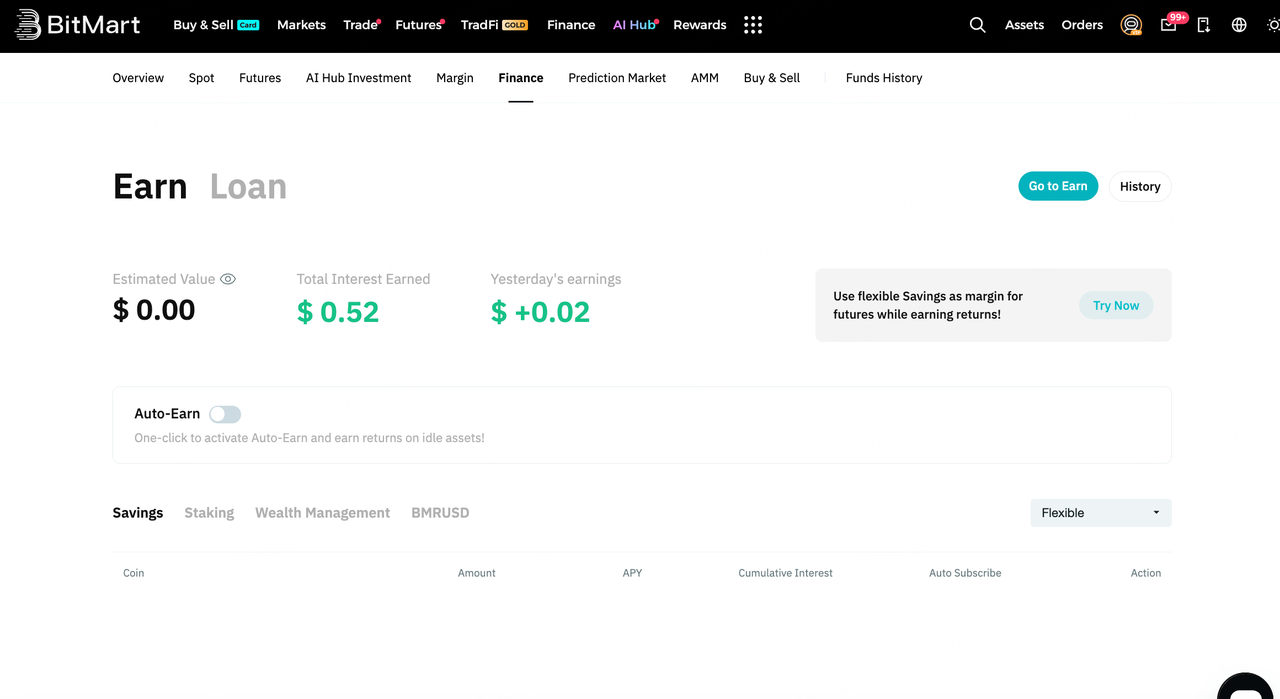
Step 2: Transfer funds to increase futures margin
If you already hold eligible Savings orders
After clicking [Use Now], the system will open the Increase Futures Margin window and display the eligible Savings orders and corresponding amounts available for transfer.
On this page, you can view:
- Eligible Savings orders available for increasing margin
- The available amount for each order
- The APY or tiered rate information of each order
If you do not hold any eligible Savings orders
If there are no eligible Savings orders available, clicking [Use Now] will directly open the Flexible Savings subscription pop-up.
You may enter a subscription amount and complete the subscription first, then continue using the funds to increase the futures margin.
Step 3: Select the order and amount to transfer
If you already hold eligible Savings orders, select the order(s) you wish to transfer in the Increase Futures Margin pop-up and enter the corresponding amount.
After confirming the details, check the agreement box and click [Increase Margin].
Step 4: View the transfer result
Once the transfer is completed, the page will display Margin Increased Successfully.
You may click [Go to Futures] to view the asset status in your futures account.
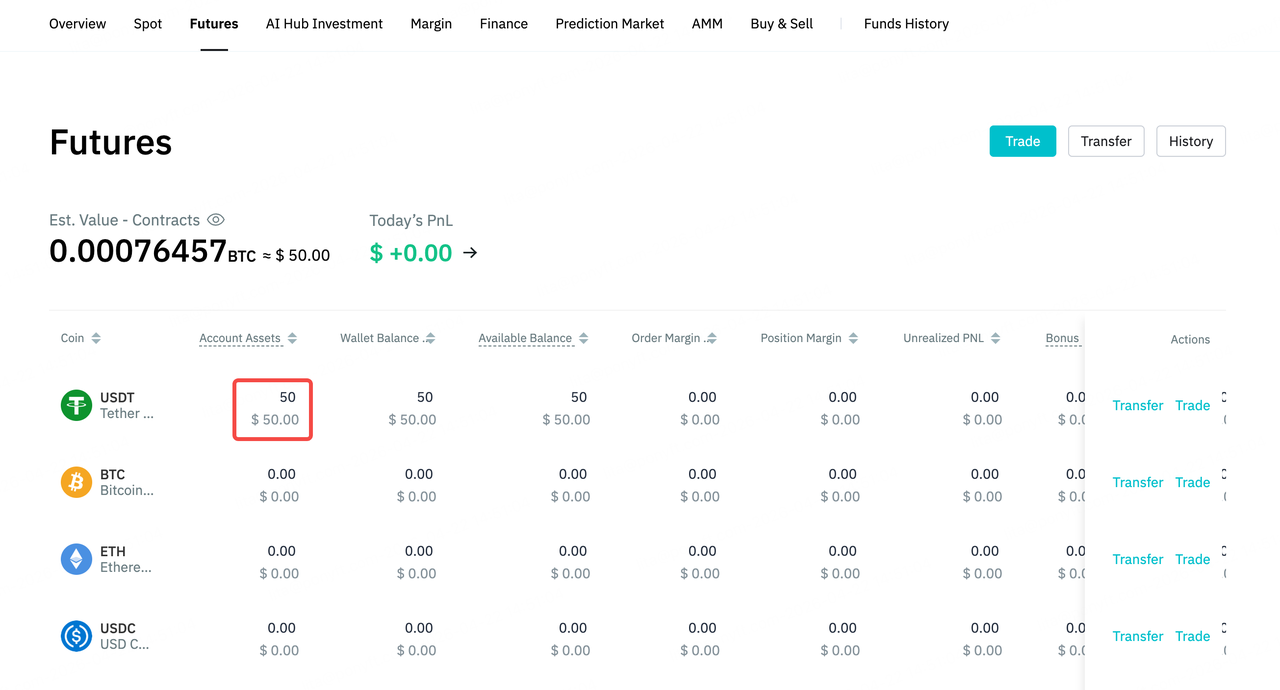
After entering the futures account, you will see that the funds have been successfully transferred and are now available as margin for USDT-M Futures trading.
3. Rules for Transferred Funds
Funds transferred from Savings to the futures account can only be withdrawn to Savings and cannot be transferred to other accounts.
This means:
- These funds cannot be transferred to the spot account or any other account.
- Within the future account transfer rules, funds transferred from Savings are given the highest priority.
In other words, these funds are reserved with priority for return to Savings, rather than being treated as ordinary futures funds that can be freely transferred.
4. How to Withdraw Funds to Savings
If you wish to return funds to Savings, go to the Futures Margin details page in the Financial Account and click [Withdraw].
When processing a return, the system will prioritize returning the Savings order with the highest APY.
After the return is completed, the returned funds can be redeemed normally.
5. FAQ
1. How is interest calculated for Flexible Savings orders used as margin, and where is it distributed?
The interest calculation rules for Flexible Savings funds used as futures margin are the same as those of regular Flexible Savings. Earnings will be distributed directly to your Financial Account, where you can view the relevant details.
2. Why can I see funds in my futures account but cannot transfer them to other accounts?
Because these funds come from Savings, they can only be returned to Savings and cannot be transferred to other accounts.
3. In what order are funds returned?
The system will prioritize returning the Savings order with the highest APY.
4. Why does the interest-bearing amount change?
The interest-bearing amount changes along with the equity in your futures account. If your futures account equity is sufficient, interest is calculated based on the total transferred amount. If the account equity is insufficient, interest is calculated based on the actual remaining balance.
5. What happens to my Savings funds if my future position is liquidated?
If your futures position is liquidated but your futures account equity does not fall to 0, the transferred Savings order(s) will not be settled.
If your futures account equity falls to 0, the system will settle the transferred Savings funds at the next hourly settlement time.
This settlement only affects the order status and does not involve any additional deduction or transfer of actual funds.
BitMart
April 23, 2026