
Please follow the steps below to create a new API:
1. Step1: Login

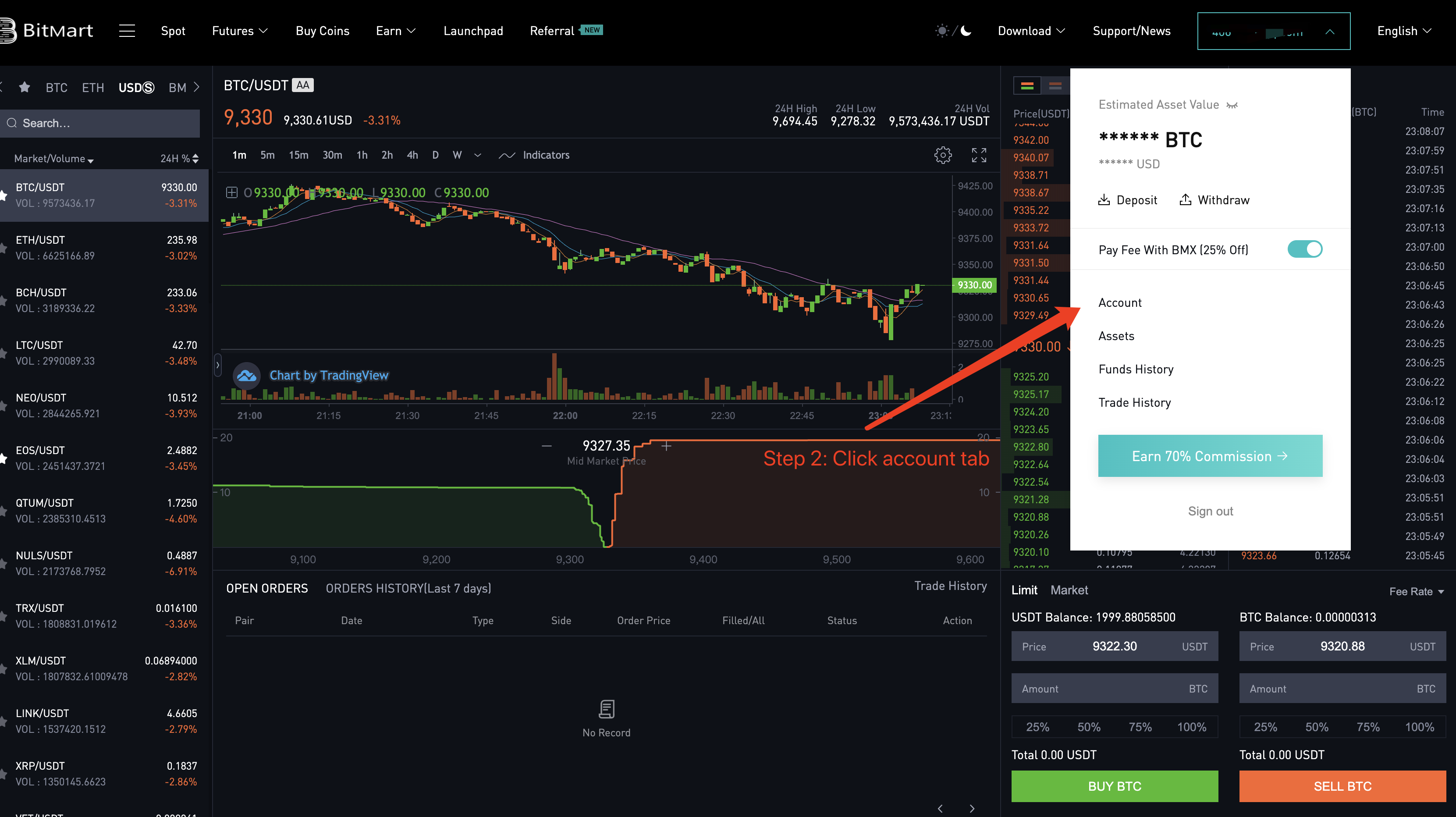
2. Step2: Click Account tab;
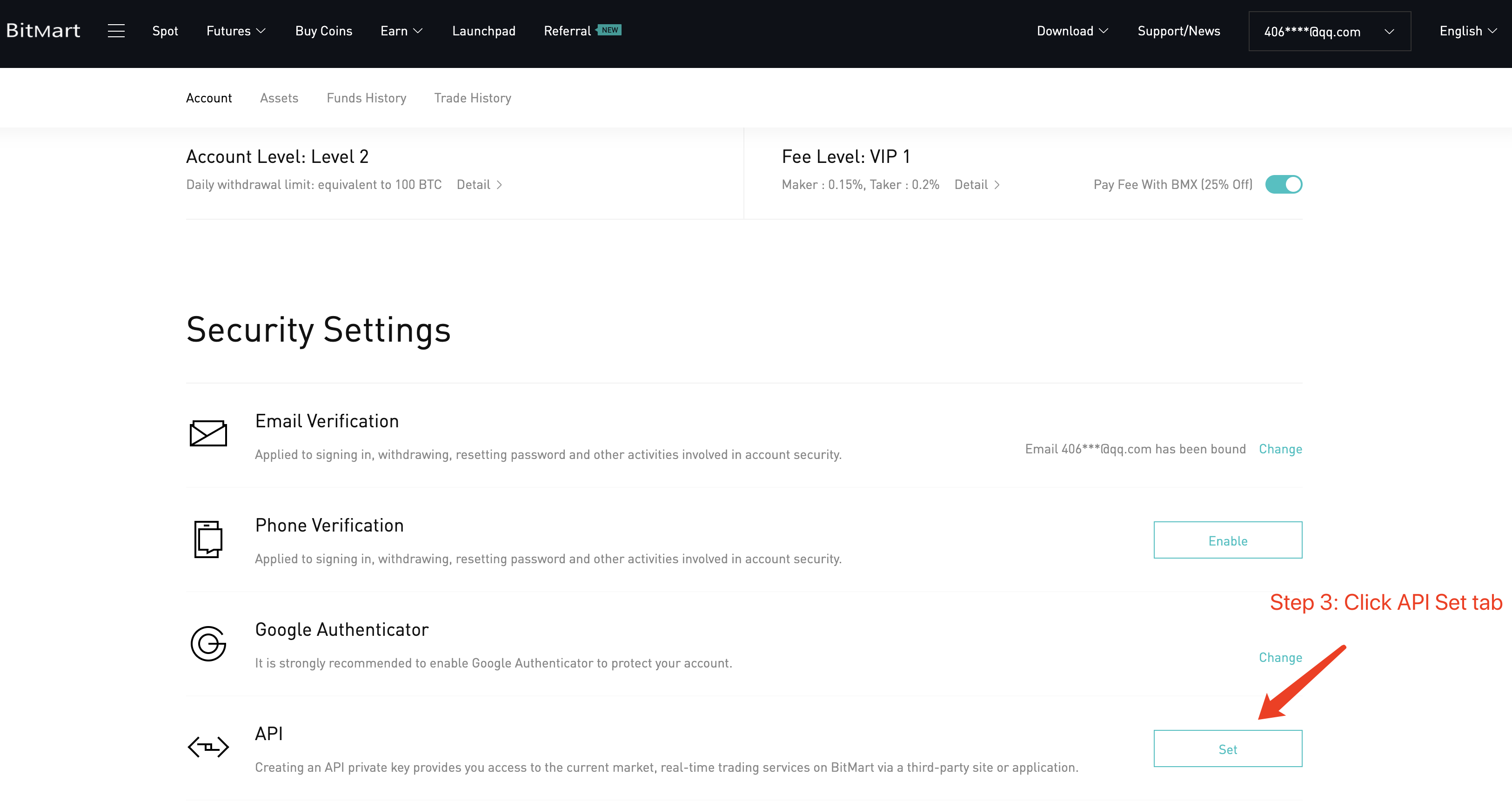
3. Step3: Click Settings in the API tab;
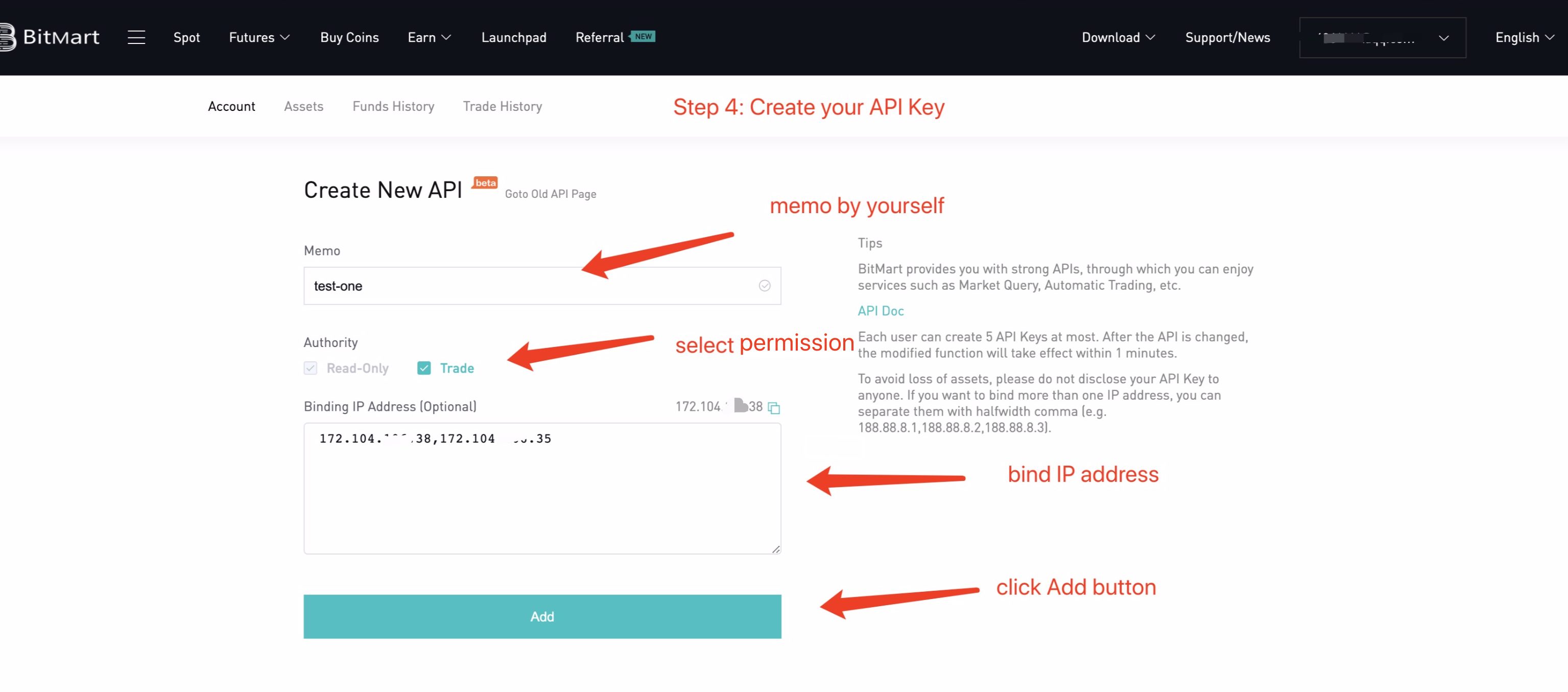
4. Step4: Create your API KEY
5. Step5:Create Successfully. The Secret Key will only be displayed once. Please copy and save.
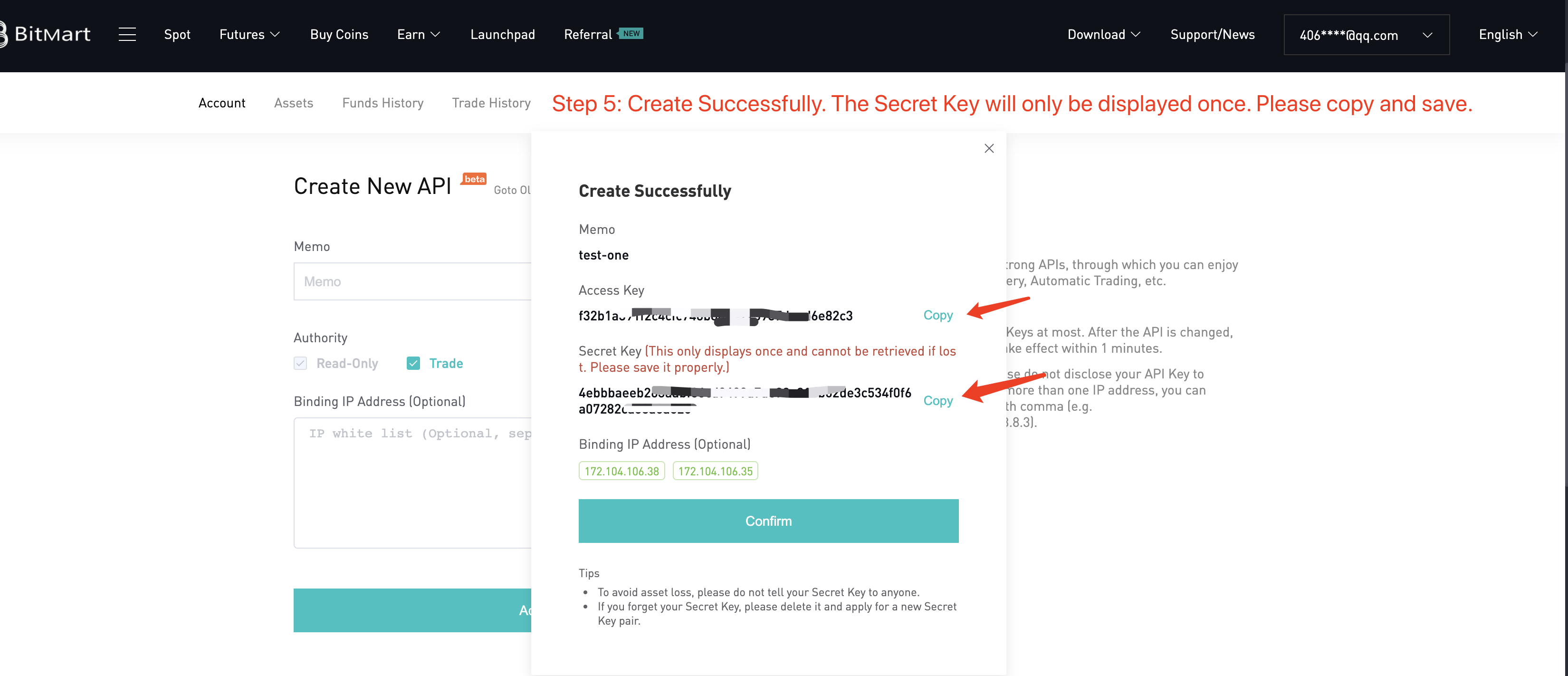
6. Step6: Click Confirm button to exit. Now you can use your new API.