Open Your Margin Account
To start Margin Trading, users has to open margin account. By following simply steps below, users can set up the account in a minute:
1. Find your Margin account entrance, BitMart has two different way to enter into the interface
1) you can choose to enter from [Asset] and then enter to the margin, or
2) you can choose to enter from Trade page
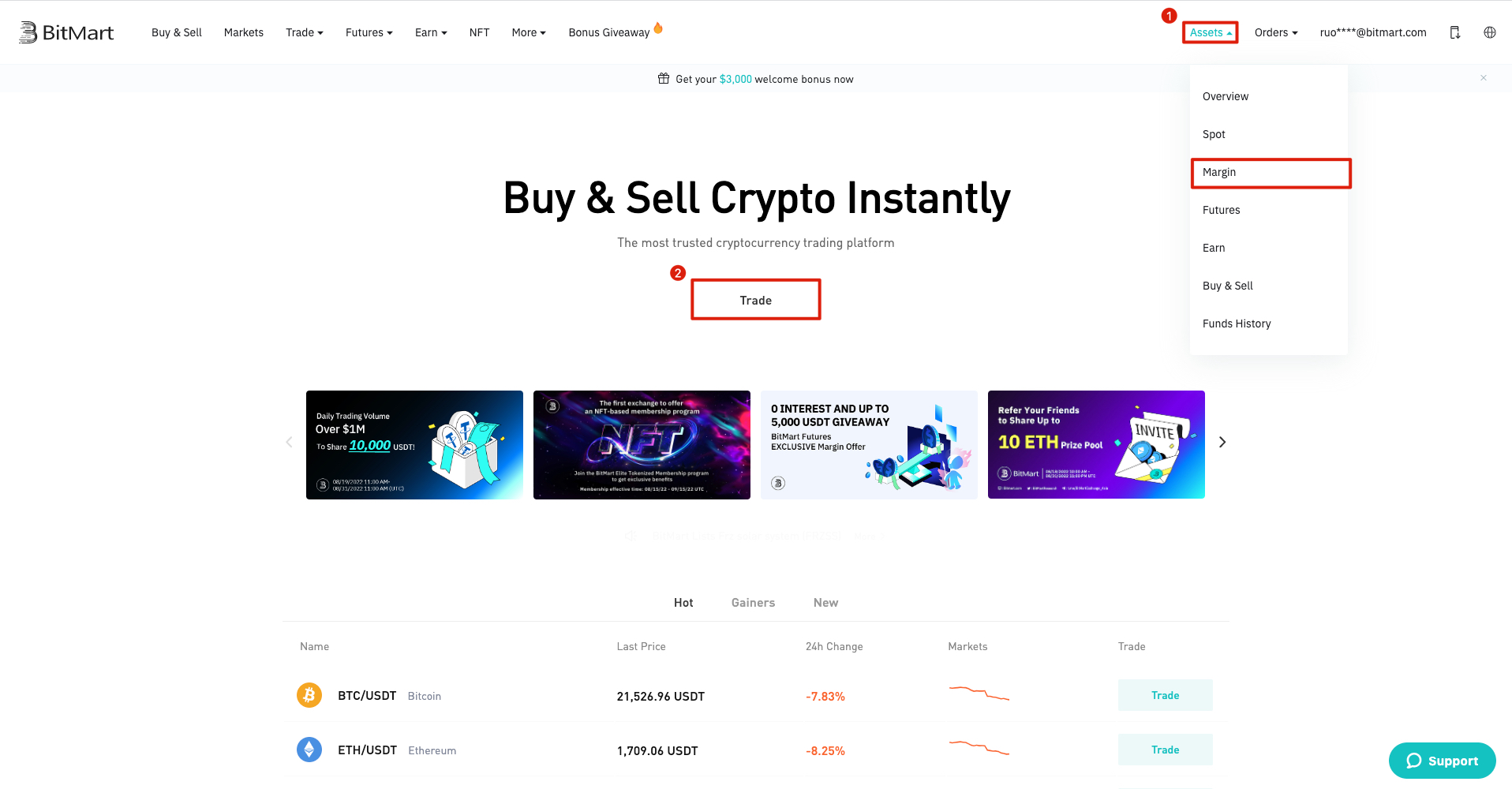
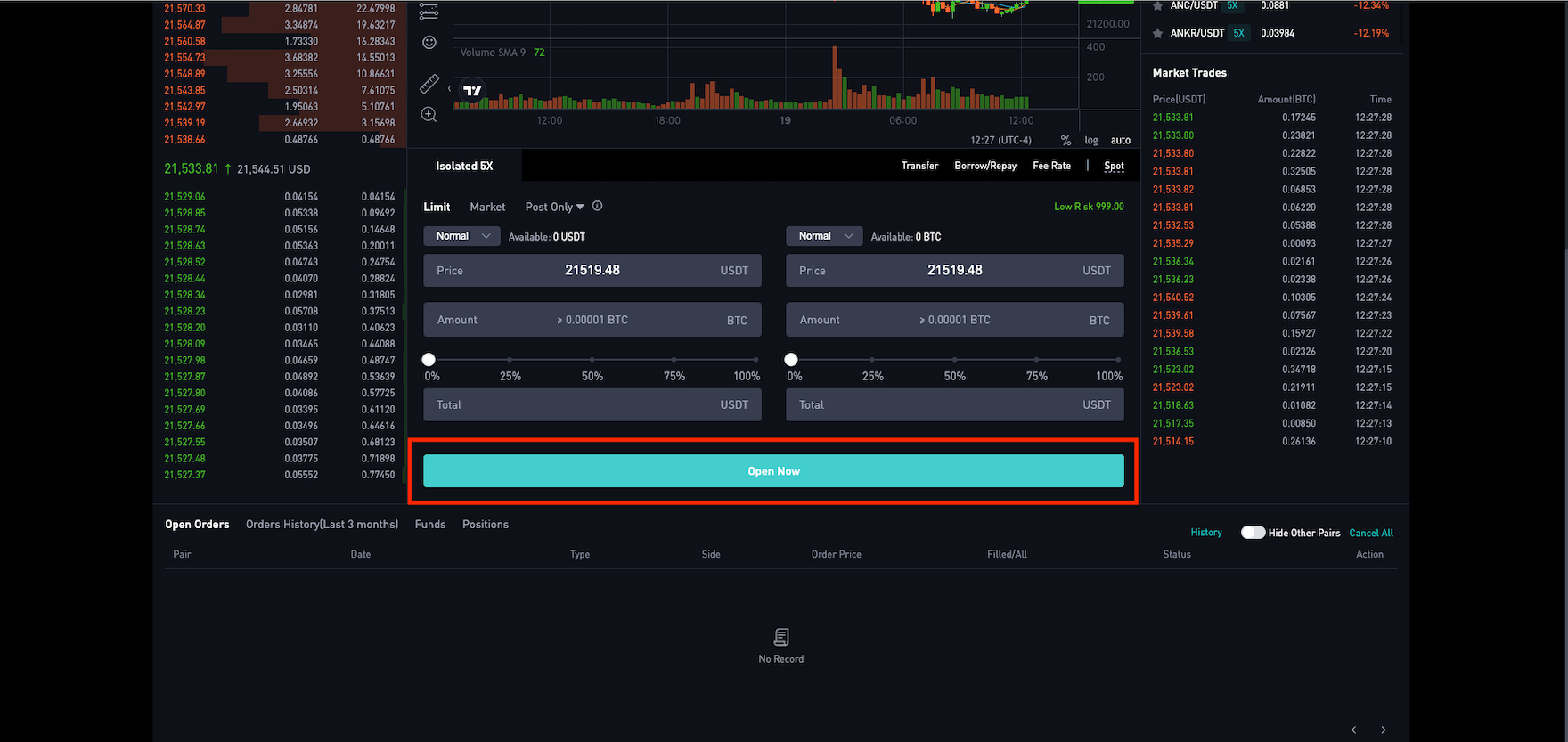
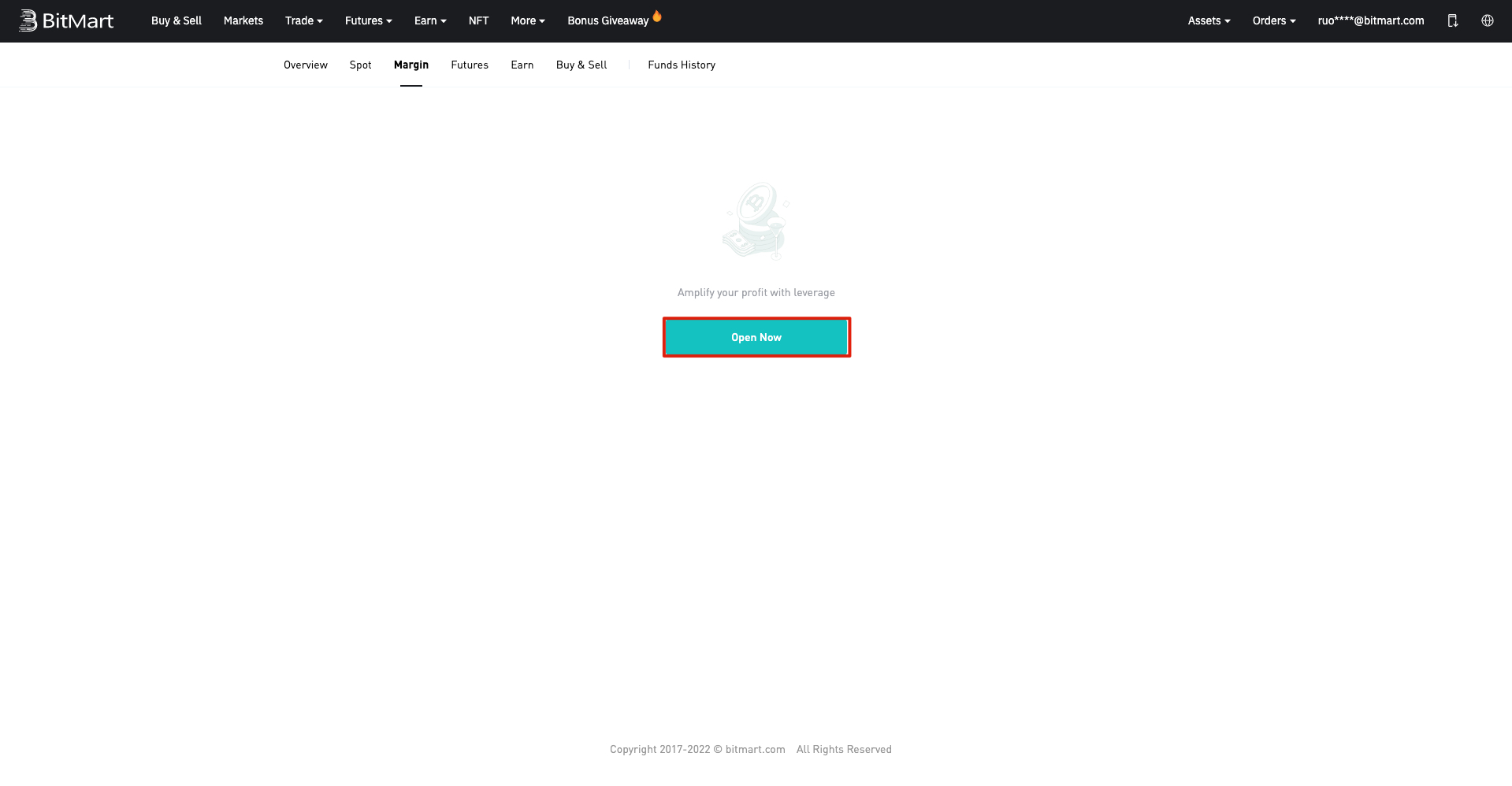
2. Click [Open Now] to start the process
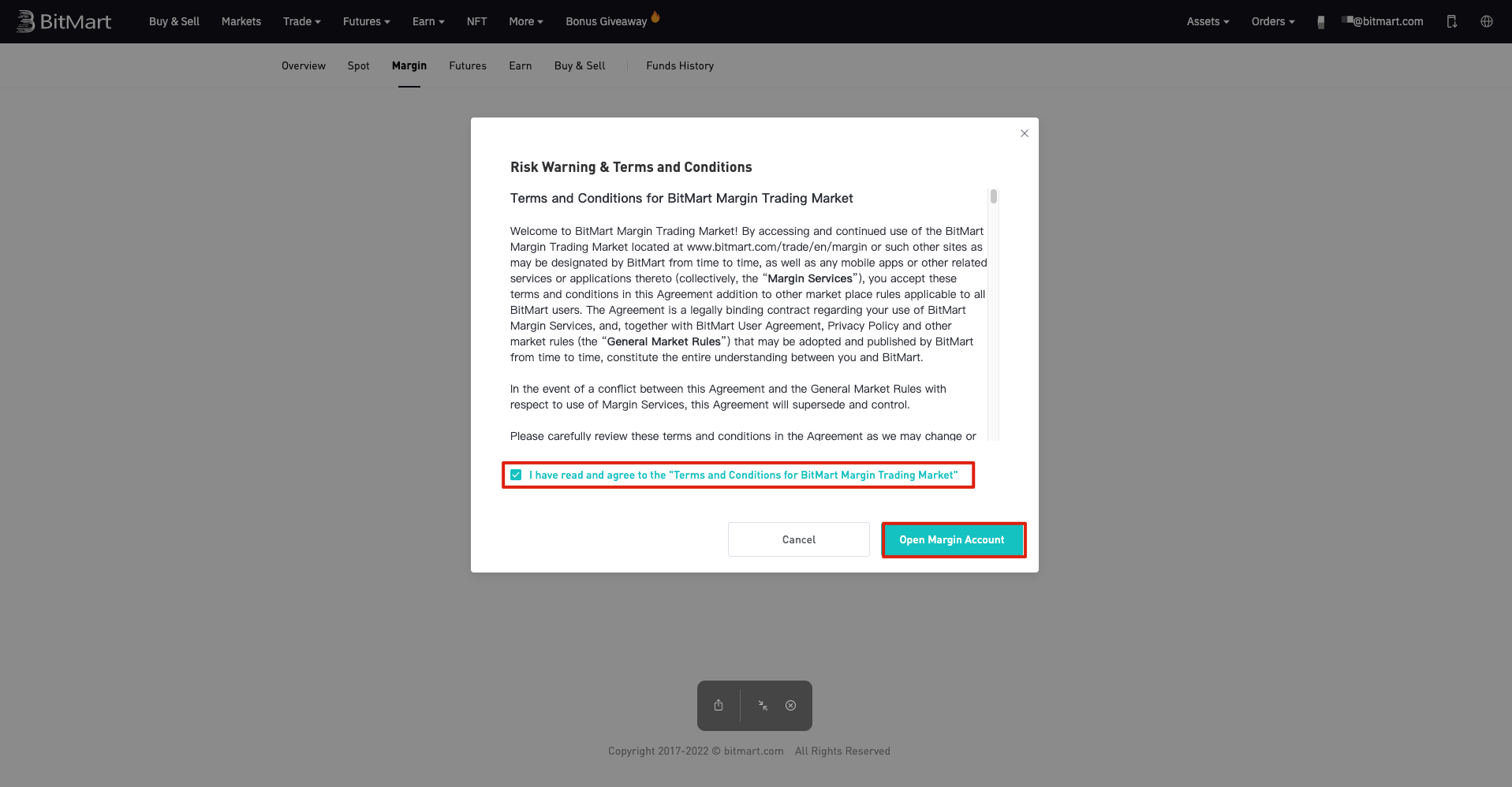
3. Read on Risk Warning and terms carefully and click on the check box to open Margin Account
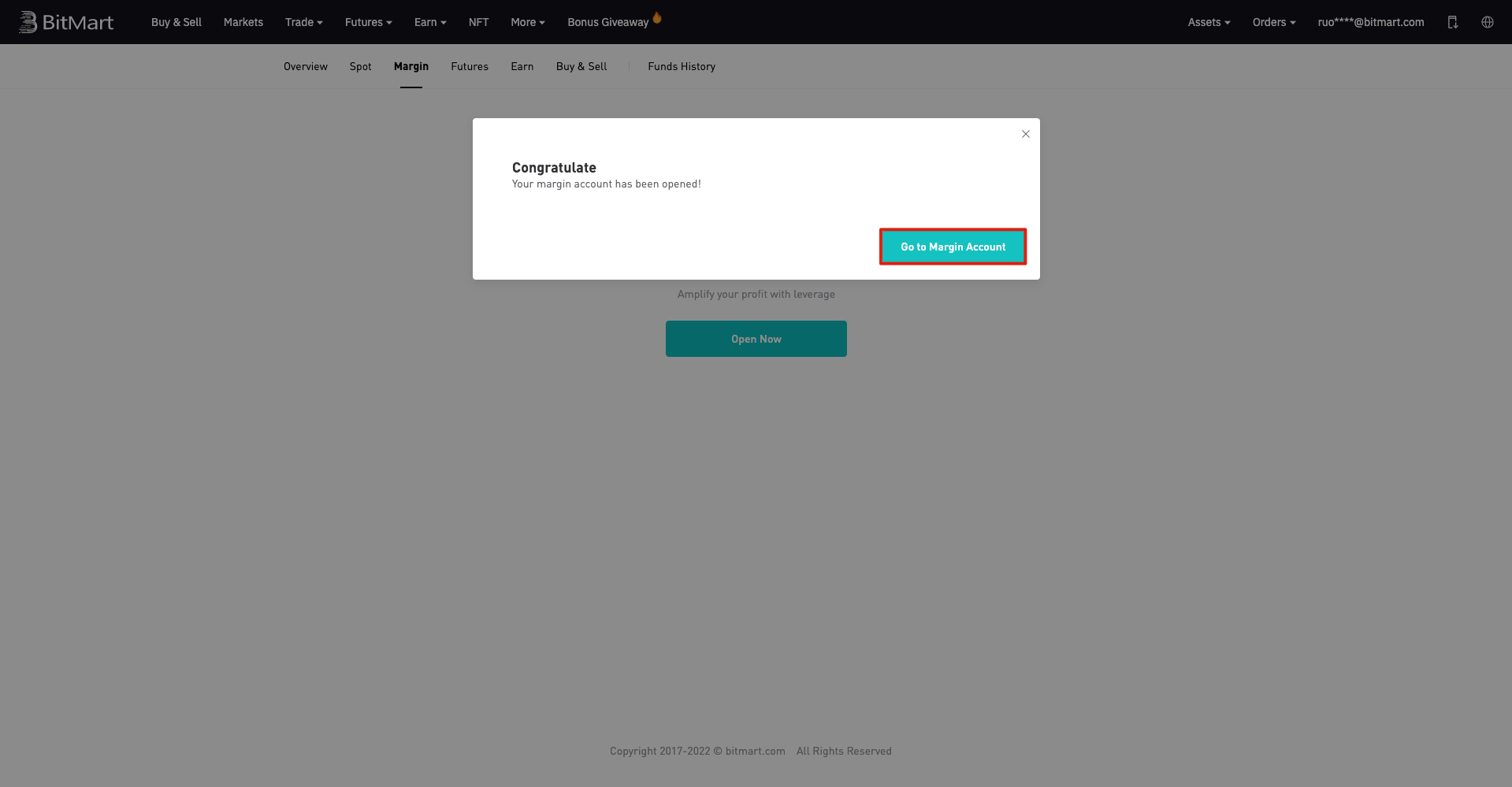
4. Congrats! You can start margin trading on BitMart now, click on the Go to Margin Account to get start
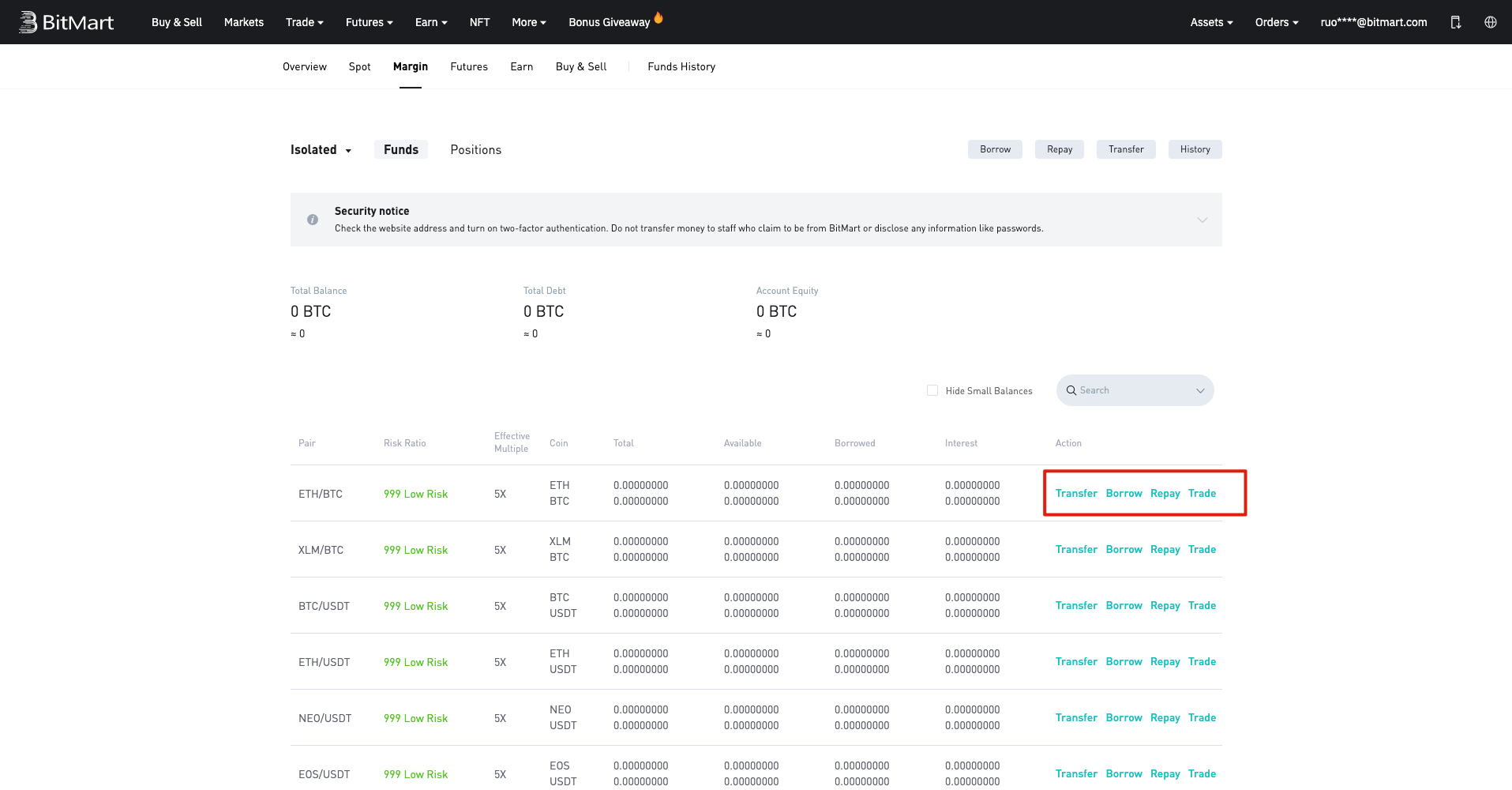
How to Transfer Assets to Margin Account
For isolated Margin trading, you need to transfer into your desired isolated margin account to begin borrowing.
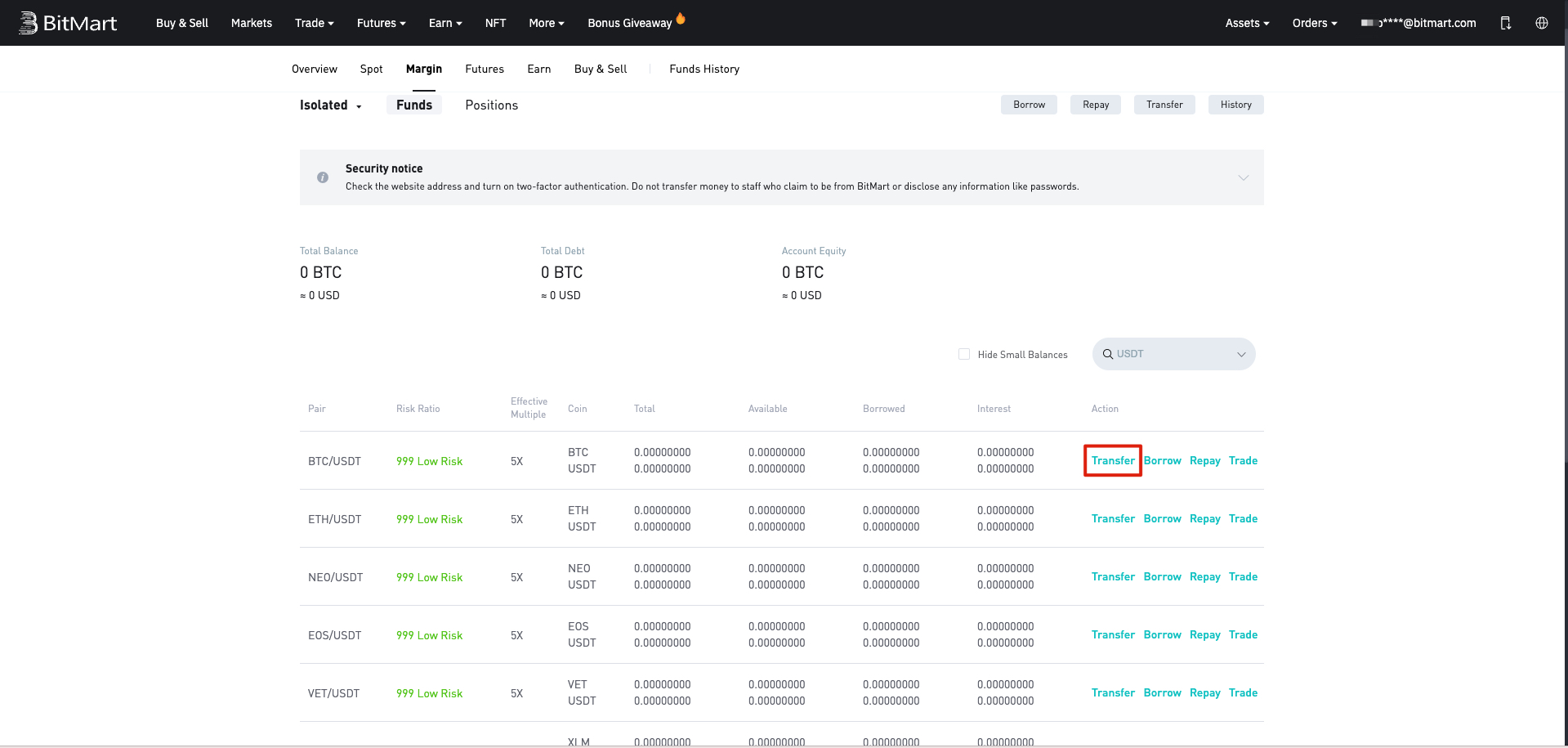
1. Find the [Transfer] button on your margin account interface and click.
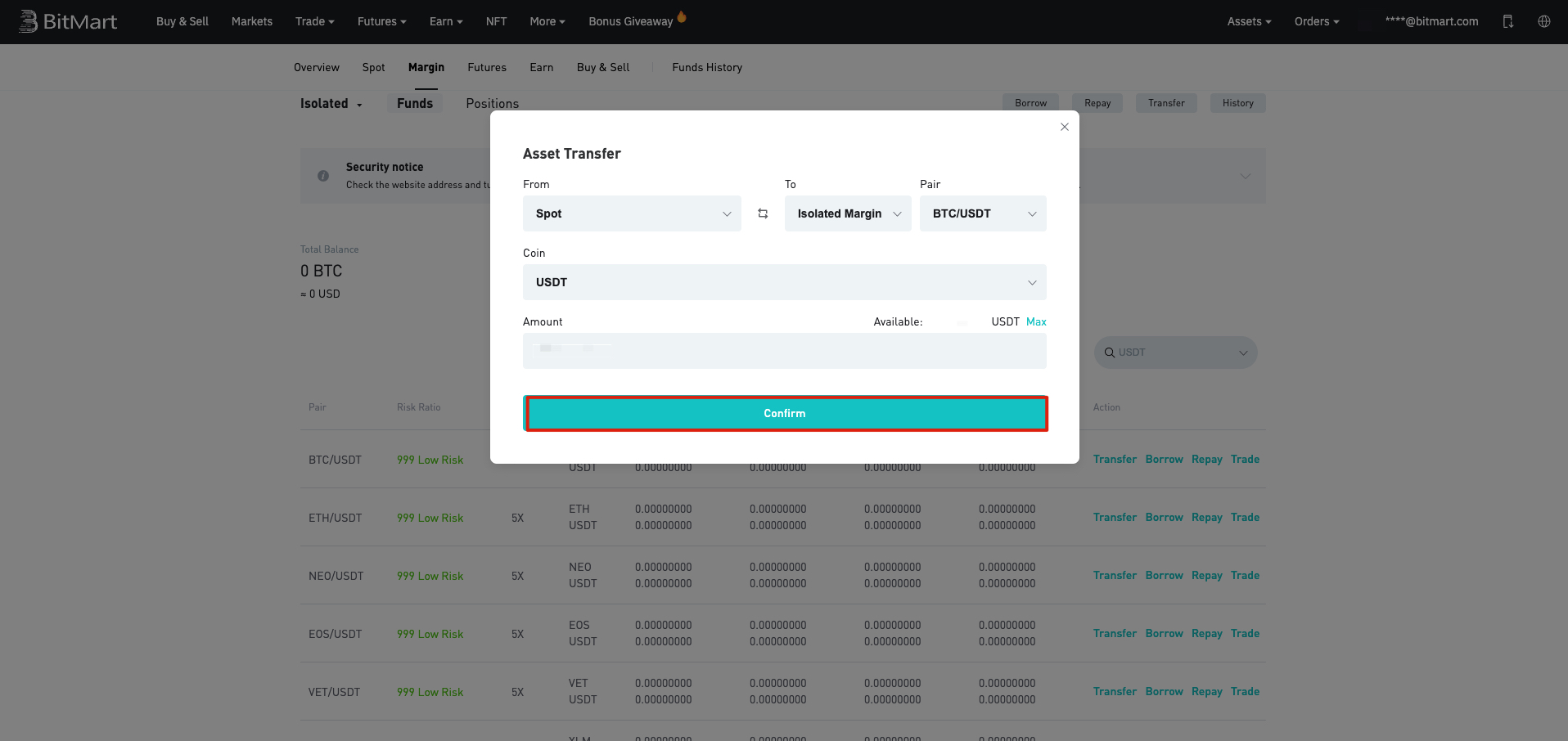
2. Select Transfer Direction, Isolated Margin Pair, and Coin, then fill in the amount you want to transfer, and click [Confirm].
3. After the process, you can check you current balance on the trading pair
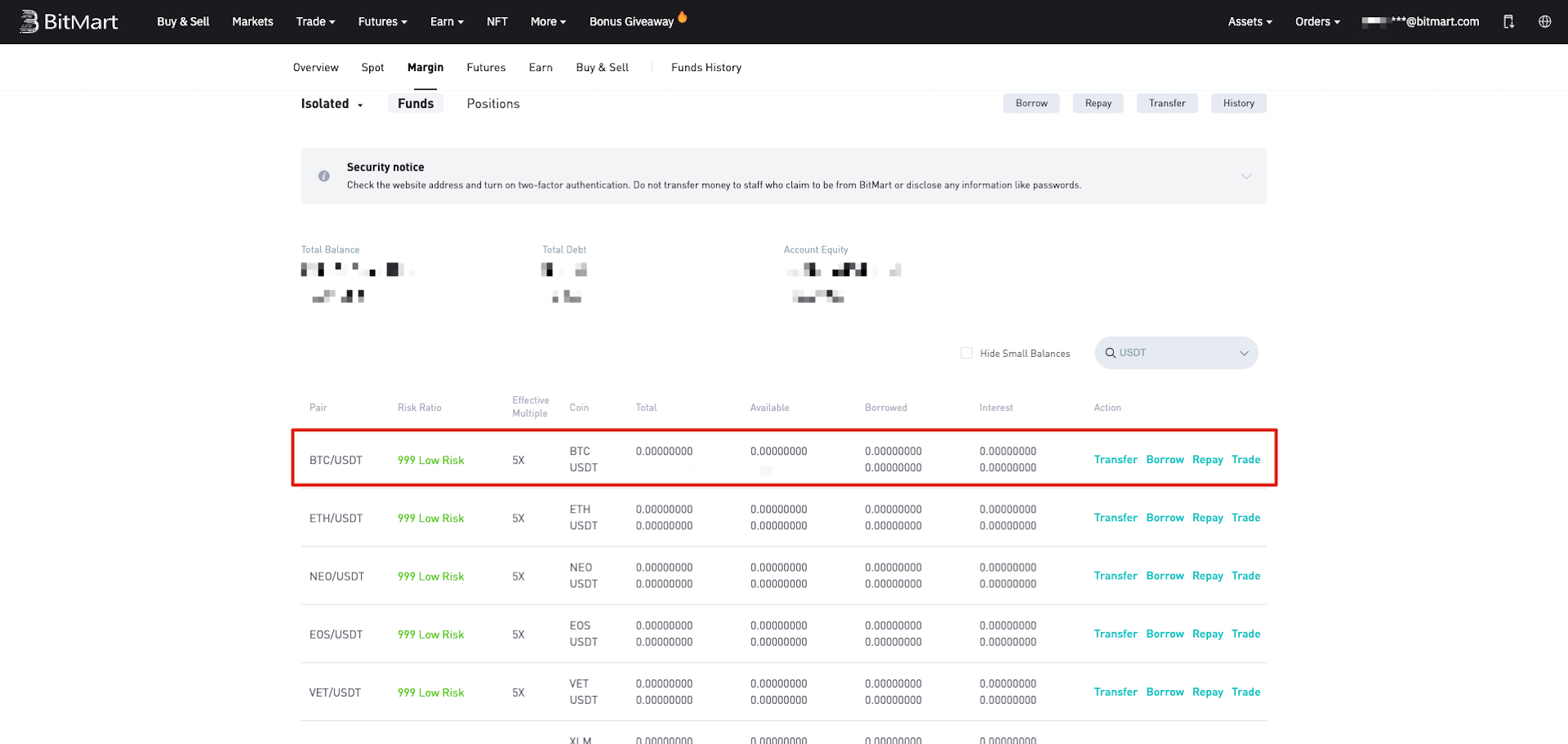
How to Borrow on Margin
After transfer in to your isolated margin account, you will be able to borrow on margin
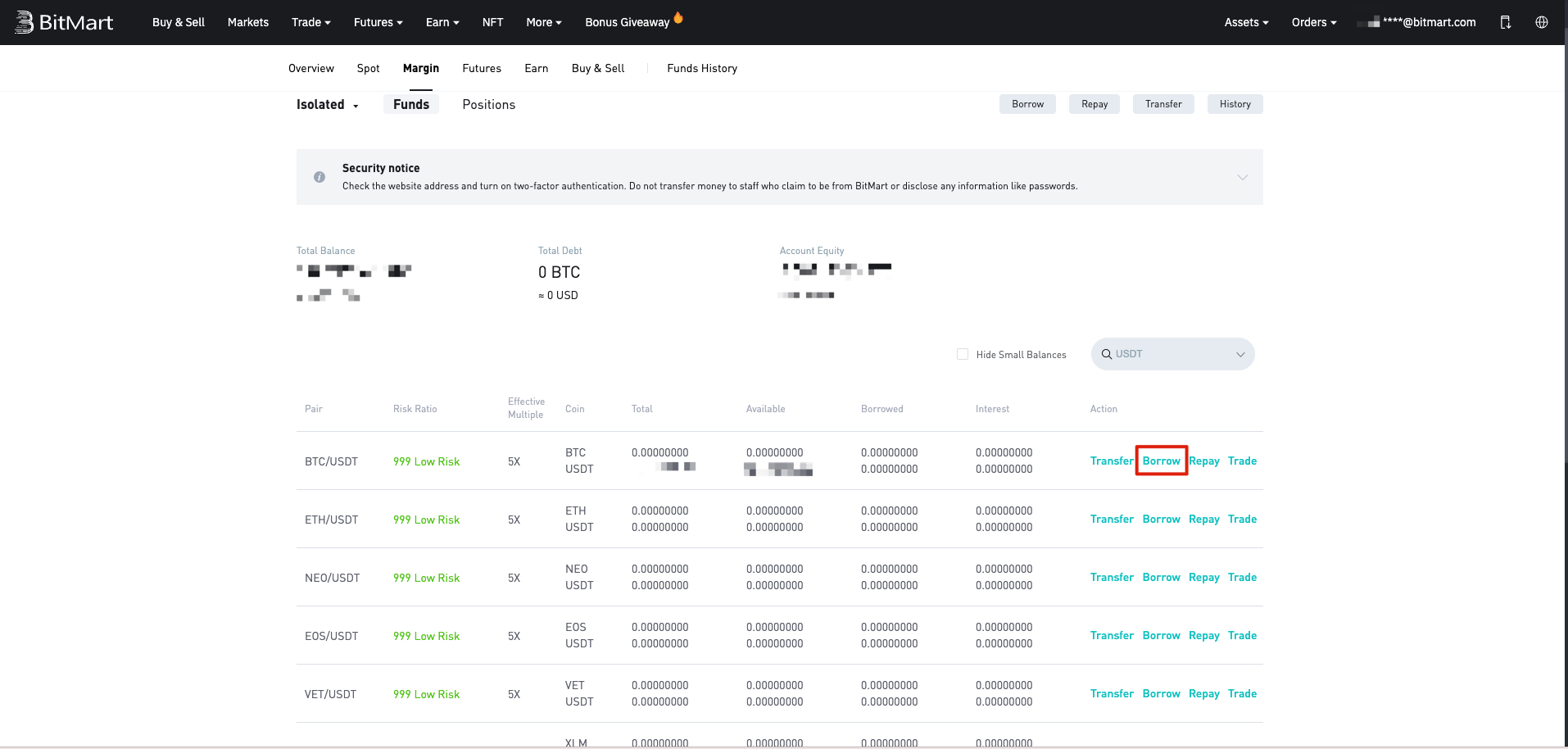
1. Click on [borrow] to start the process
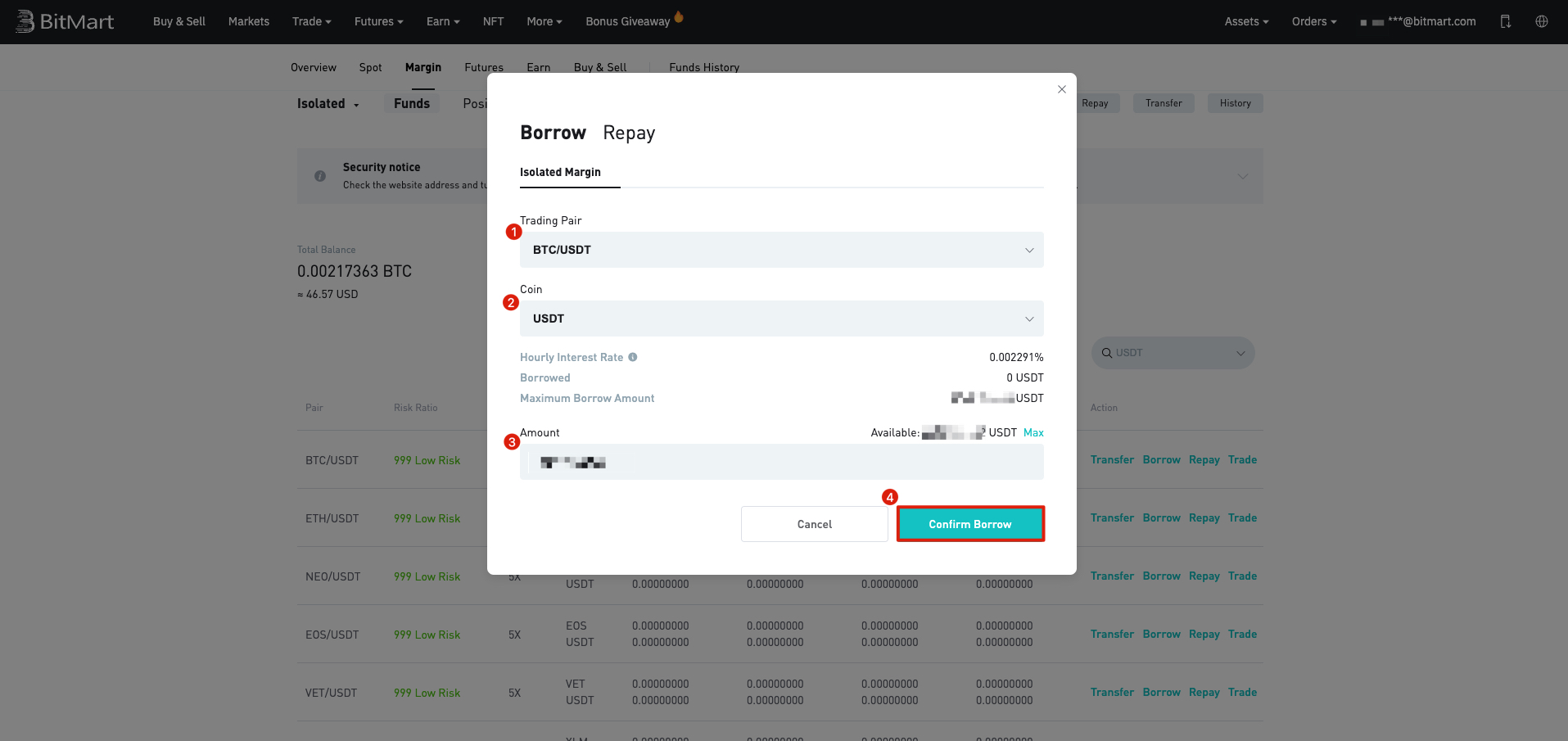
2. Select desired trading pair and asset. Fill in the amount you want to borrow (or click [Max] to put in the maximum amount you can borrow) and click [Confirm Borrow]
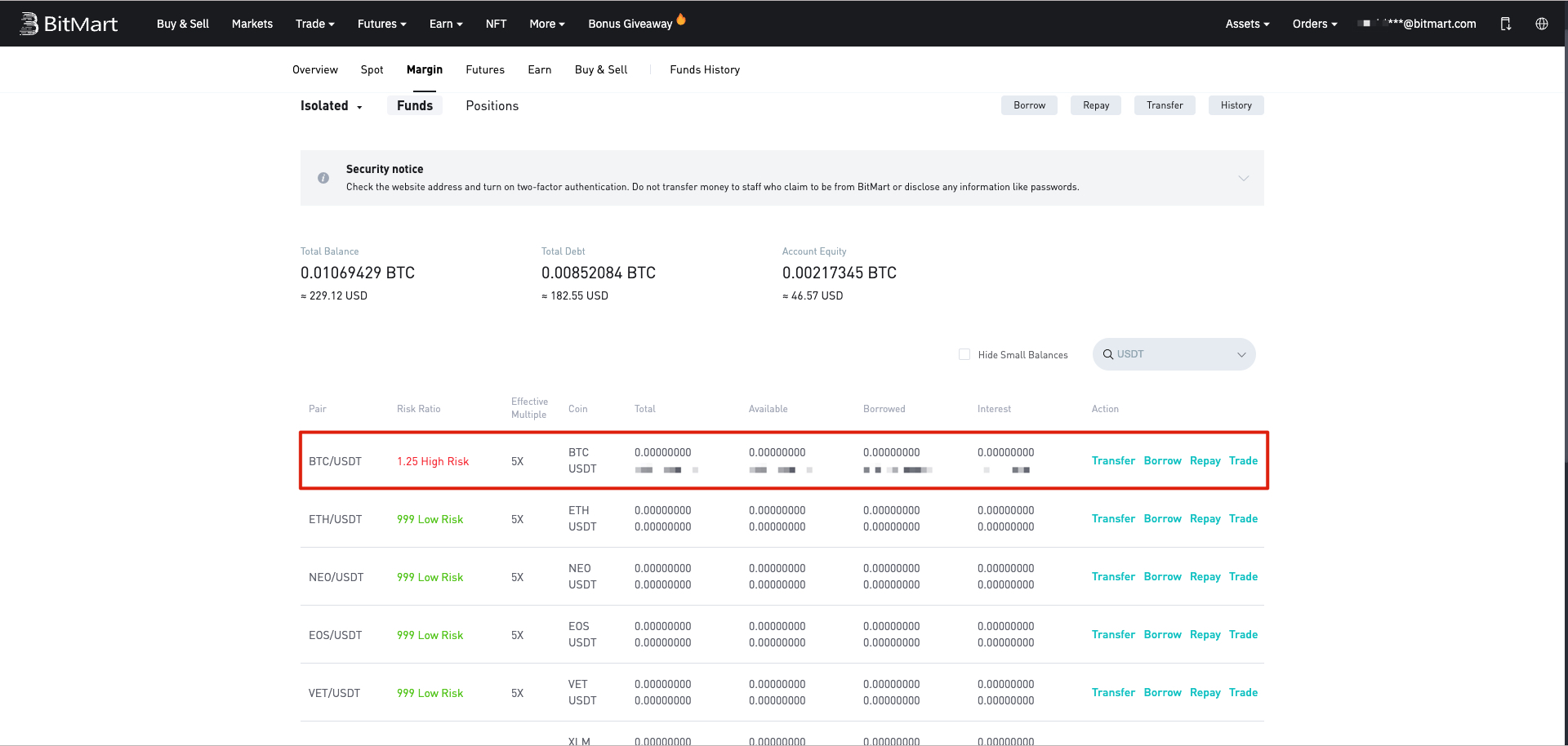
3. Once your borrow request is processed, the risk ratio of your margin account will be updated in real-time, as well as the total asset and debt of your margin account.
Congratulations! You are all set to start Margin Trading.
Read More About BitMart Margin:
Introduction of Margin Trading
How to use BitMart Margin Trading Interface?
How to Manage Your Margin Account